
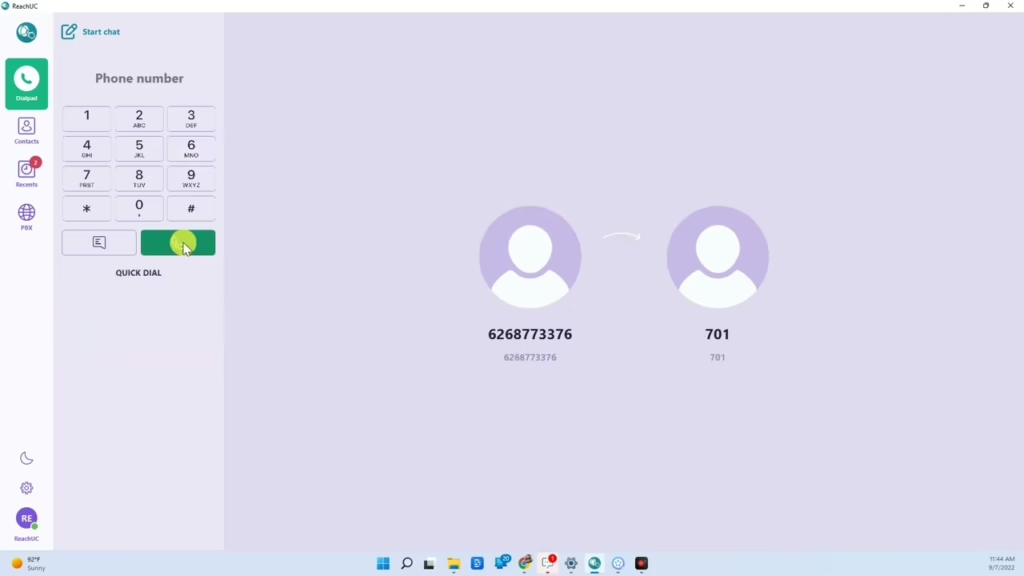
How to park a Call
While in a call you can send a call to park by hitting the blind transfer button and then typing in the number of the call park that you would like to send it to.
How to park a Call Read More »
While in a call you can send a call to park by hitting the blind transfer button and then typing in the number of the call park that you would like to send it to.
How to park a Call Read More »
Learn how to work with time frames! This means that you can create rules within your One Stop Telecom phone system which will set your call routing at specific times. You can route your calls differently after business hours, easily forward your calls form anywhere, and automatically treat holidays differently than normal business hours. It’s easy!
Time Frames, Forwarding, and Holidays Read More »
With the ReachUC application, you can easily manage your One Stop Telecom extension on your PC. Now, without the need of a desk phone, you will be able to make calls, send/receive text and picture messages from your office phone number, access your voicemails, and more! Welcome to remote working at it’s finest!
Work Remotely with the Desktop ReachUC App from One Stop Telecom Read More »

Show customers that you value each phone call, even if you are unable to answer, by creating a professional and timely voicemail greeting for your phone system. Contact our sales or support team at (530) ONE-STOP for questions on managing your voicemails with this powerful tool!
Professional Voicemail Management Made Easy Read More »

We understand… sometimes looking at your telephone bill can be confusing. This video takes away the guesswork and helps you to see how to under your One Stop Telecom phone bill. If you need further assistance, feel free to contact our billing department directly at (530) ONE-STOP.
Better Understanding Your Bill Read More »

The One Stop Telecom Bill Center allows you to easily manage your business phone system’s billing. You will always have full control over your billing to use a credit card, pay by checking account through ACH, and add and remove auto-pay. Just another way we work with you to make things easy!
Bill Center and Autopay Setup from One Stop Telecom Read More »

You can access all of your One Stop Telecom portal shortcuts in one easy place on our website! In your browser just go to https://onestop.expert . There, in the customer access tab, you’ll see all the links you’ll need to manage your business phone system, billing, fax portal and even get support. As always, if you have any questions, contact our support department at (530) ONE-STOP.
Portal Shortcuts from One Stop Telecom Read More »
Check out the versatility of One Stop Telecom’s Contact Center platform! In one place, you can easily manage your agents, see how many customers are waiting, perform quality control checks by coaching your agents while they are on a call and so much more!
Contact Center from One Stop Telecom Read More »

An auto attendant can be perfect whether you are a sole proprietor or a growing company with various departments. Contact our sales team at (530) ONE-STOP to see how you can grow your business and better manage call flow with this powerful tool!
Best Call Routing Solution For Your Phone System | Auto Attendant Made Easy Read More »

The ultimate application for remote working! With the ReachUC Mobile app from One Stop Telecom you can stay in touch with the office even while on-the-go. Remote working has never been so easy! Make and receive calls, send text messages from your business number, and check voicemails as though you were at your desk. Just another way One Stop Telecom makes managing your business phone system easy!
Work Remotely with the ReachUC Mobile App from One Stop Telecom Read More »
