
Business Network Infrastructure
Business Network Infrastructure
Network setup, racks, switches, Wi-Fi, gateways, failover, and managed support for business environments.
One Stop Telecom helps offices, warehouses, and multi-location businesses plan, install, organize, and support the network infrastructure behind phones, internet, Wi-Fi, cameras, access control, and daily operations.
Business infrastructure support since 2015
Southern California project support
Phones, internet, Wi-Fi, cabling, cameras & access control coordination
UniFi preferred network standard
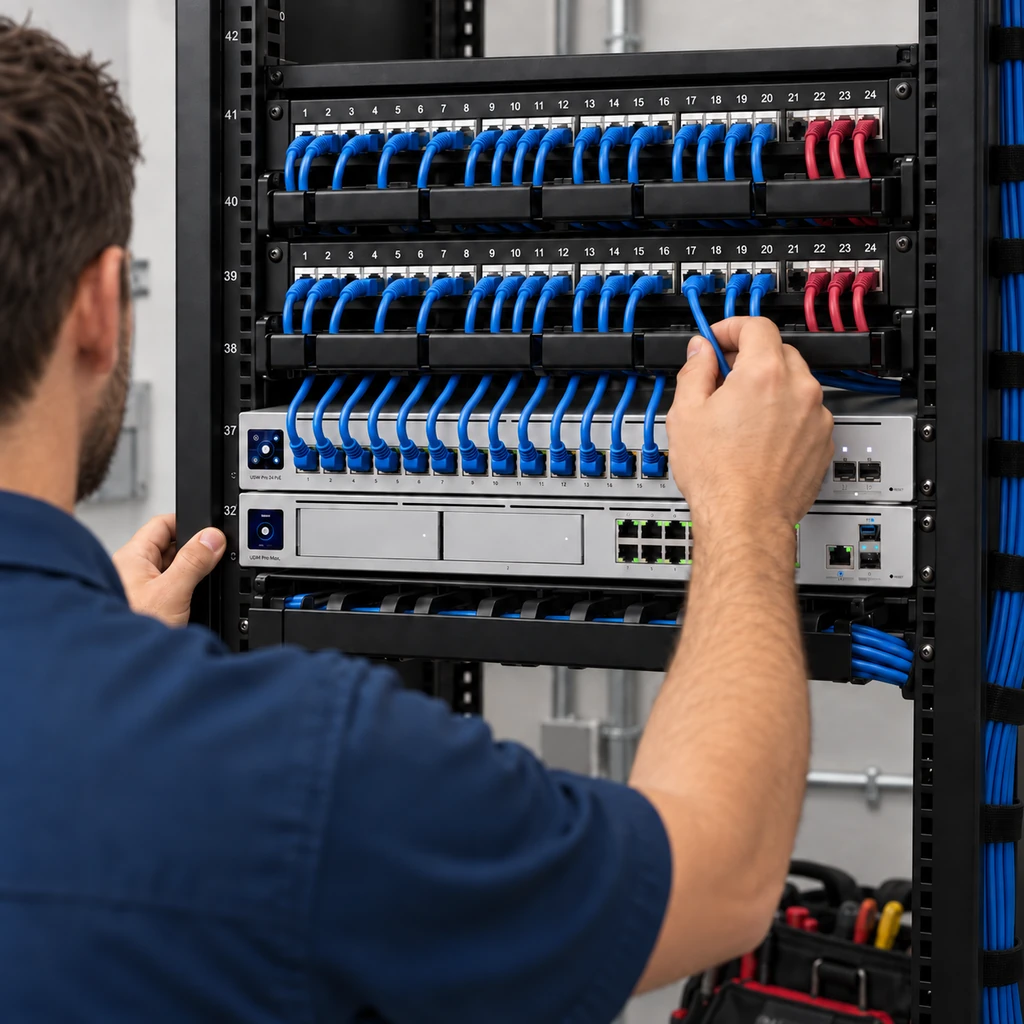
Who it’s for
Network Infrastructure for Offices, Warehouses, and Growing Businesses
This service is for businesses planning a new network, moving to a new space, opening a warehouse, upgrading unreliable infrastructure, cleaning up a crowded rack, or standardizing equipment across multiple locations.
If you depend on reliable phones, internet, Wi-Fi, cameras, or cloud tools, One Stop Telecom can help plan the infrastructure behind them correctly from the start.
Common reasons businesses reach out
Not the right fit: Commercial business environments only. One Stop Telecom does not provide residential networking or general computer helpdesk support.
New network installations
Business Network Setup for New Offices, Warehouses, and Buildouts
Business Network Infrastructure foundation
Internet & gateway
Managed switches
Structured cabling
Wi-Fi access points
VoIP phones
Security cameras
Access control
Cloud applications
Barcode scanners
UPS & failover
Every system above depends on the same underlying network foundation.
A new office or warehouse network should be planned around how the business actually operates. One Stop Telecom can help coordinate the gateway, switches, Wi-Fi, cabling, rack layout, phones, cameras, access control, failover, power protection, and future expansion before equipment is installed.
Planning checklist
Planning a new office, warehouse, or buildout? Talk to One Stop Telecom before the network is installed so cabling, racks, switches, Wi-Fi, phones, cameras, access control, and future expansion can be planned together.
Network upgrades
Network Upgrades When Your Business Has Outgrown Its Setup
Slow Wi-Fi, unreliable phones, cameras dropping offline, and undocumented equipment are often symptoms of a larger infrastructure problem. The cause may involve internet service, cabling, switching, access-point placement, gateway configuration, power protection, or rack organization.
Slow Wi-Fi
→ What it may indicate
Poor access-point placement, weak cabling, overloaded access points, switch issues, or internet limitations.
Unreliable phones
→ What it may indicate
Cabling, switch configuration, VLAN design, gateway issues, unstable internet, or missing UPS protection.
Cameras dropping offline
→ What it may indicate
PoE switch issues, cabling problems, network design, rack power problems, or overloaded infrastructure.
No one understands the network
→ What it may indicate
Missing documentation, unlabeled patch panels, abandoned equipment, a messy rack, or inconsistent standards.
An outage disrupts everything
→ What it may indicate
No WAN failover, no UPS protection, a single connection dependency, or no recovery plan.
Field Note
Wi-Fi Is Not the Same as Internet
Customers often describe every connection problem as “the Wi-Fi” or “the internet.” The actual cause may be the circuit, cabling, switching, access-point placement, firewall configuration, or the rack itself.
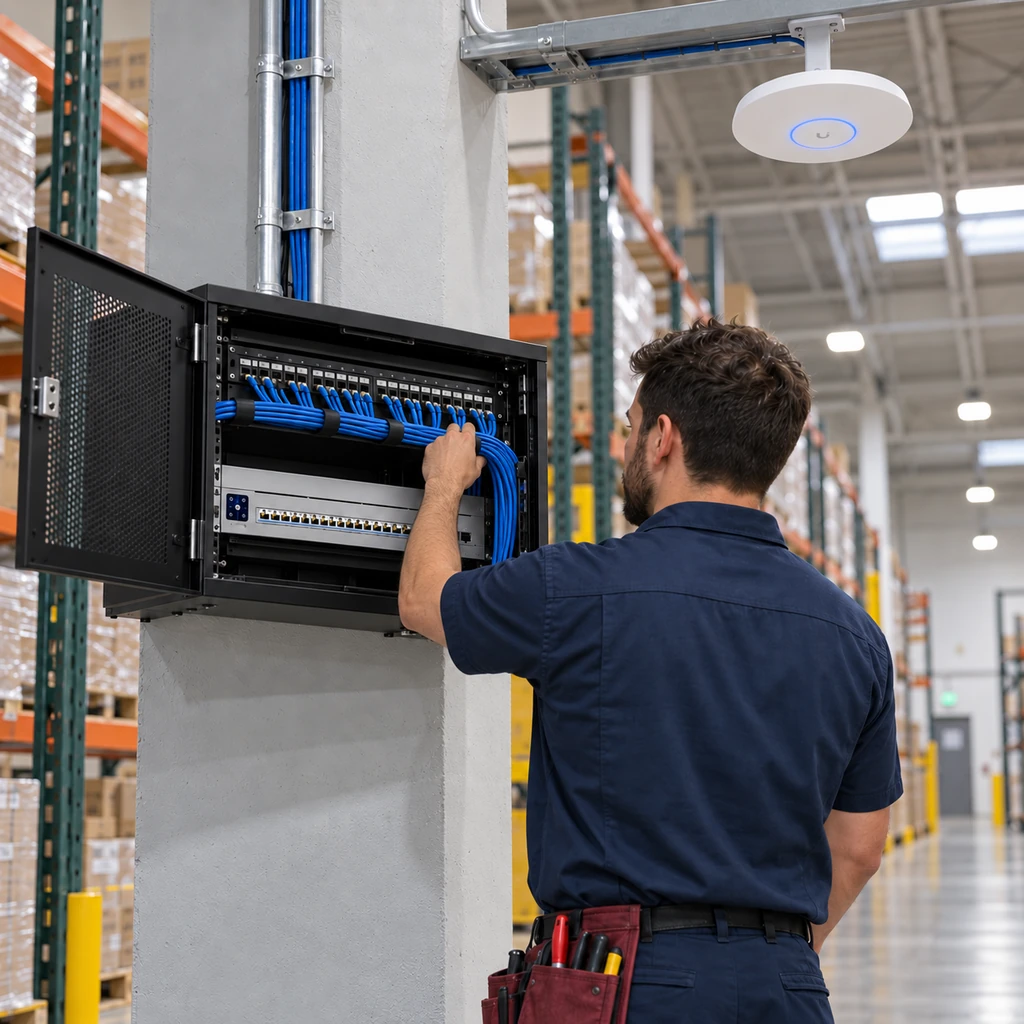
Moves & buildouts
Network Infrastructure for Office Moves and Warehouse Buildouts
Office moves and warehouse buildouts are some of the best times to plan network infrastructure correctly. Cabling, racks, Wi-Fi, switches, phones, cameras, access control, internet readiness, power, and failover can be coordinated before the move becomes urgent.
Proof: rack cleanup
Network Rack and Cabinet Cleanup
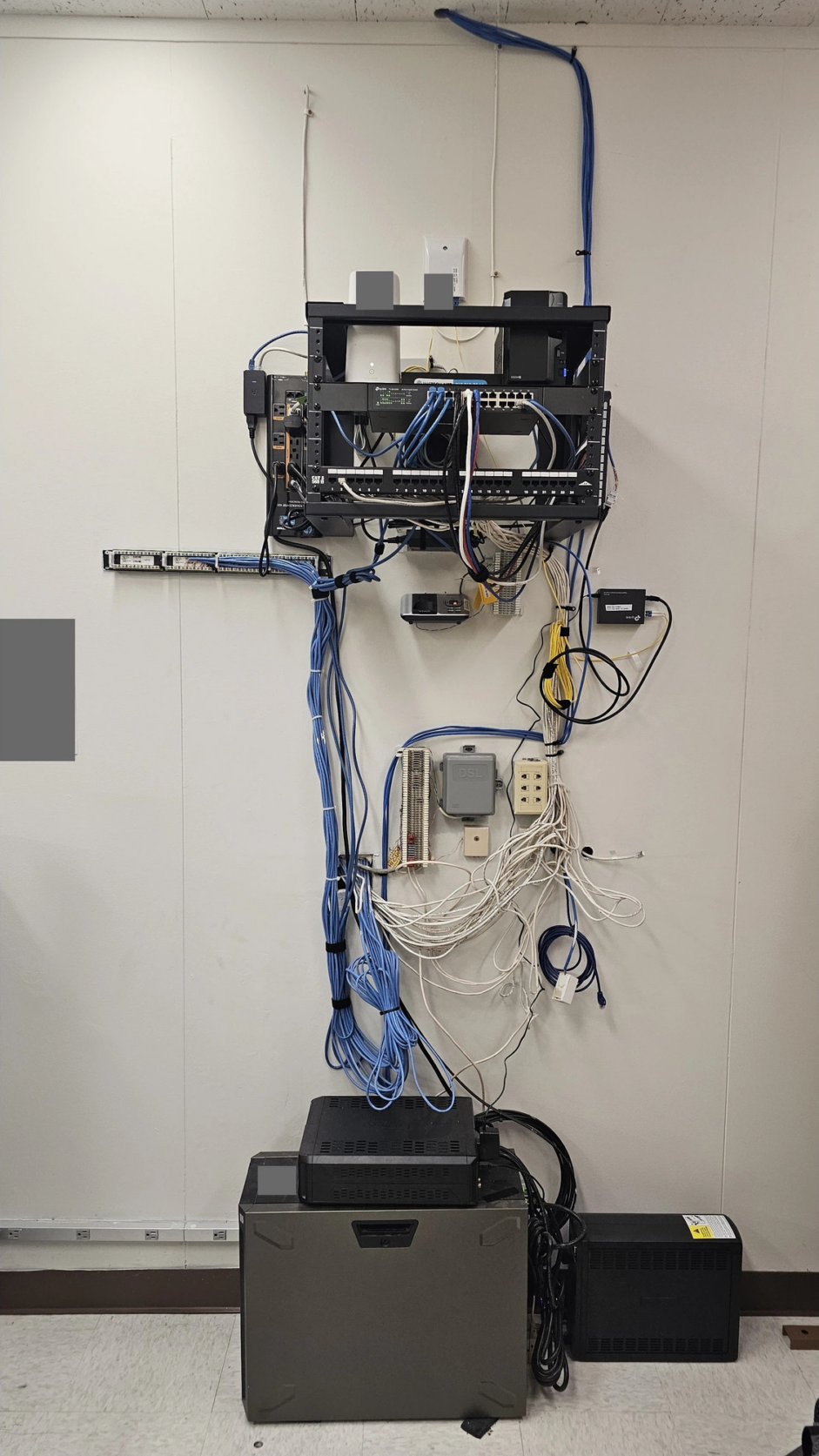
A messy network rack is more than an appearance problem. Unlabeled patch panels, tangled cables, abandoned equipment, poor airflow, stacked devices, missing UPS protection, and no documentation can make troubleshooting slower and future upgrades harder.
Before
After
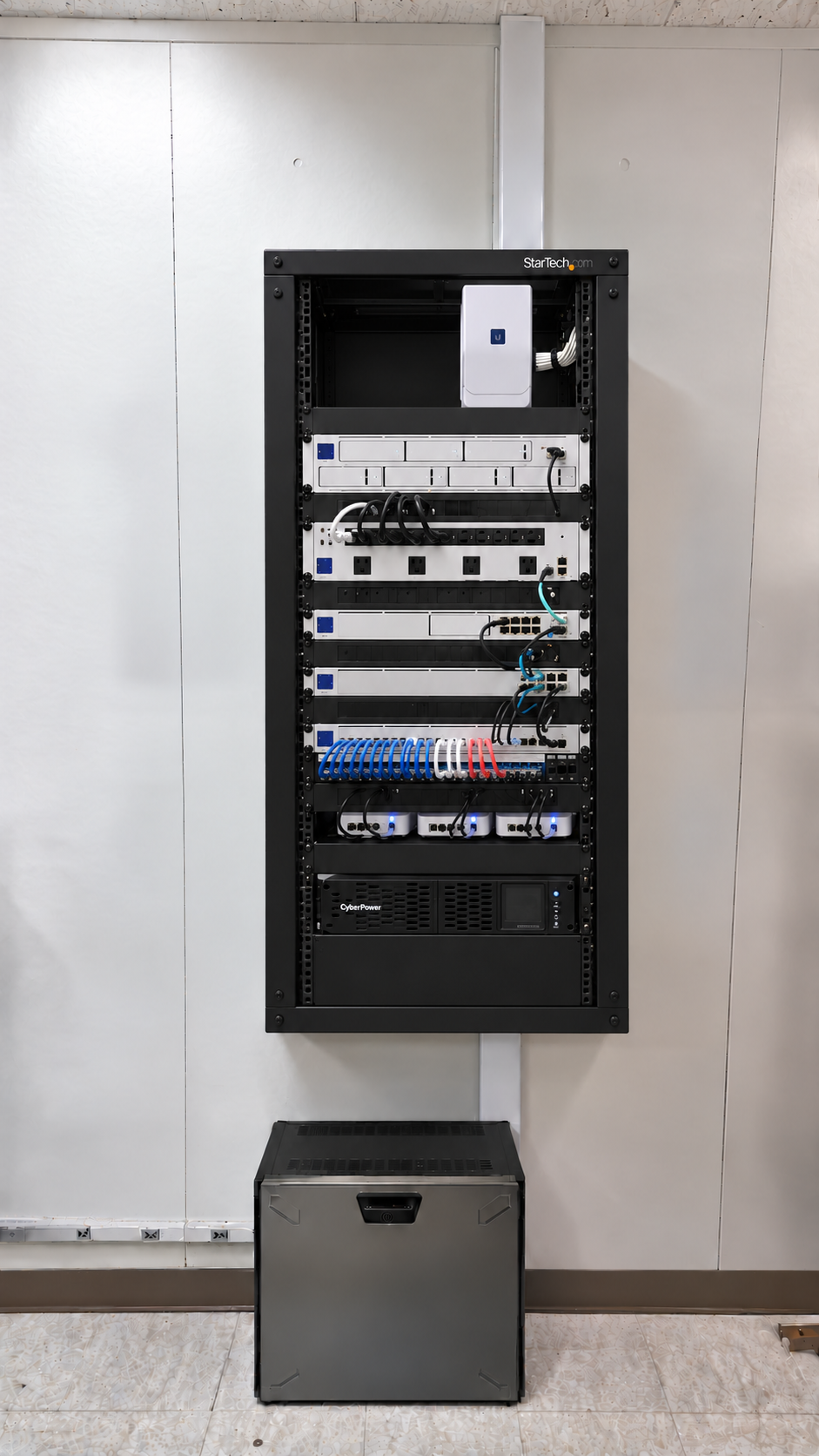
A cleaner rack is easier to troubleshoot, easier to expand, and easier to support. Labeling, airflow, UPS placement, cable management, and proper equipment mounting all affect long-term reliability.
Field Note
Labels Matter
Unlabeled patch panels and cables make troubleshooting slower and future upgrades more expensive.
Preferred standard
UniFi Network Equipment as a Preferred Standard
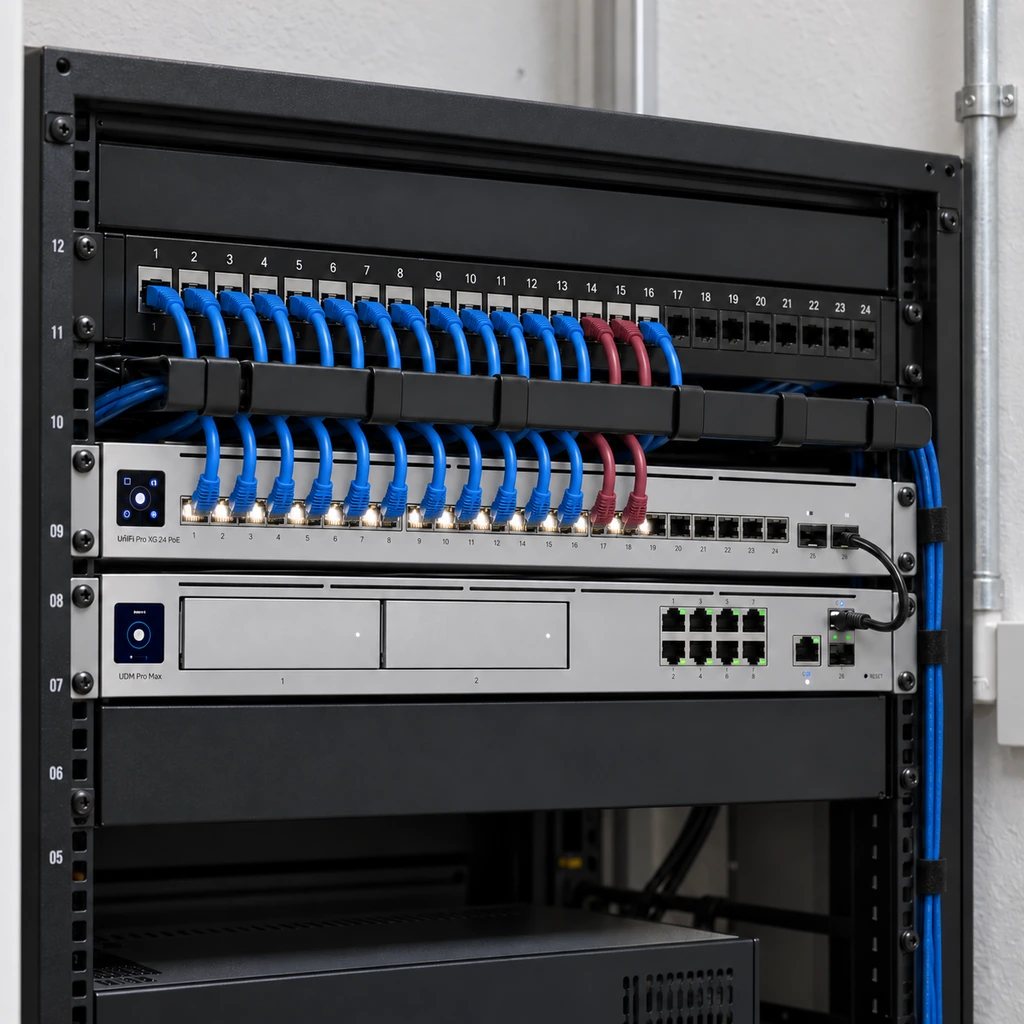
One Stop Telecom commonly uses UniFi as a preferred network standard for many business deployments because it supports centralized management, remote visibility, equipment standardization, and scalable business environments.
Centralized management
Remote visibility
Consistent equipment standards
Easier expansion and support
UniFi is a preferred standard for many projects, but equipment recommendations should still be based on the business environment and project requirements.
Managed support
Managed Support for Network Equipment We Install
One Stop Telecom can provide ongoing support for covered gateways, switches, Wi-Fi access points, VLANs, failover configurations, and related network equipment that One Stop Telecom installs and configures.
What managed support can include
Scope note: Managed network support does not automatically include unrelated third-party systems, customer-owned unmanaged equipment, computers, printers, servers, email, or software support.
Need help supporting the network equipment One Stop Telecom installs and configures?
We can help keep covered gateways, switches, access points, and failover configurations supported over time.
Business continuity
Plan Network Continuity Around the Cost of Downtime
What happens to your business when the internet or network equipment goes down?
A machine shop may tolerate reduced connectivity differently from a law office with 20–30 cloud-dependent workstations.
For some businesses, the cost of failover and power protection is much lower than the cost of a serious outage.
Continuity measures we can plan
✓ Dual WAN
✓ 5G failover
✓ Automatic failover
✓ UPS-protected network equipment
✓ VoIP continuity planning
✓ Recovery planning
✓ Recommendations based on operational risk
Field Note
Automatic Failover Is Not Manual Switching
Many businesses do not realize that a properly configured failover setup can switch to a backup internet connection automatically when the primary connection fails.
Network organization
Organized Networks Are Easier to Manage and Support
When appropriate, VLANs can separate network traffic into organized groups. In plain language, that can make phones, guest Wi-Fi, cameras, access control, and internal devices easier to manage, support, and troubleshoot.
Business devices
Separate lane
VoIP phones
Separate lane
Guest Wi-Fi
Separate lane
Security cameras
Separate lane
Access control
Separate lane
IT coordination
We Can Coordinate With Your Existing IT Provider
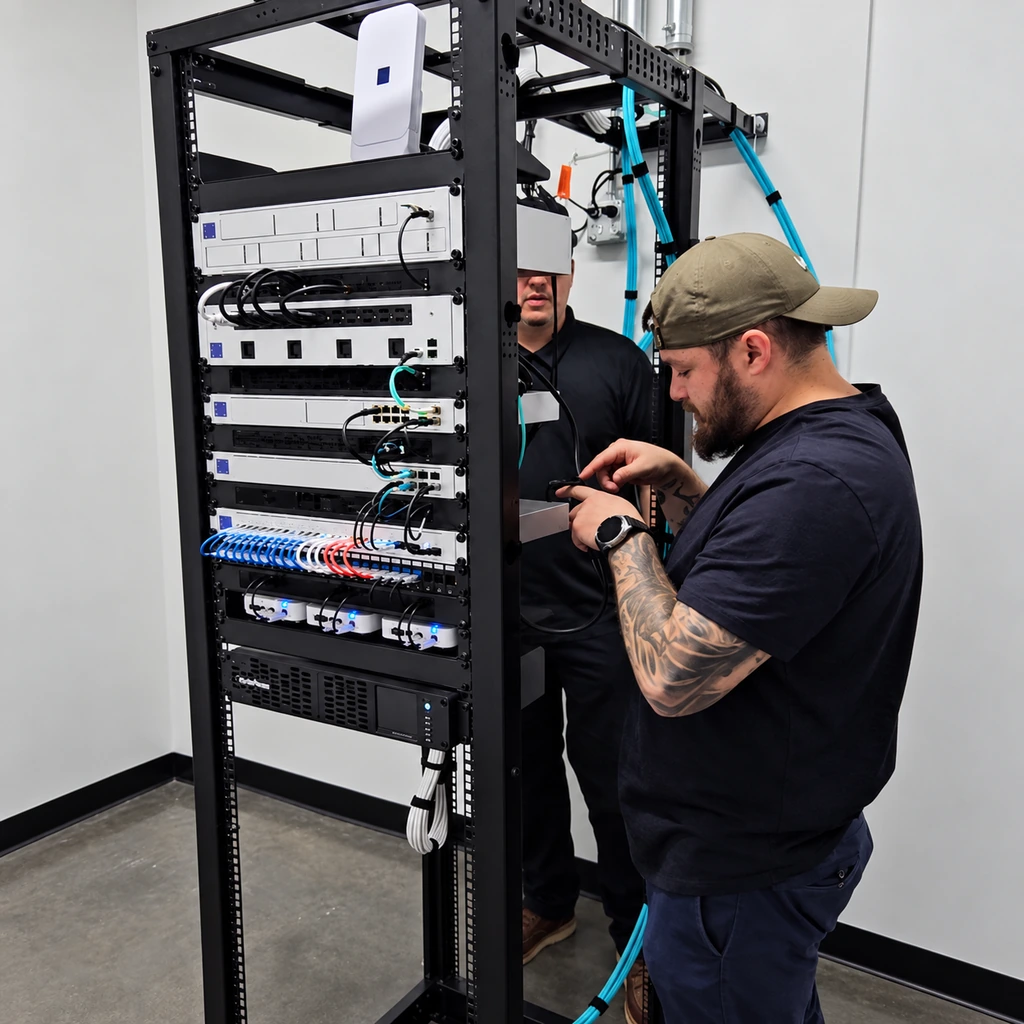
Different roles, better coordination. One Stop Telecom works alongside your IT provider so infrastructure, cabling, phones, Wi-Fi, cameras, access control, and carrier coordination do not fall through the cracks.
Your IT Provider May Handle
- Users and computers
- Endpoint support
- Software and applications
- Servers and email
One Stop Telecom Can Help With
- Internet and carrier coordination
- Structured cabling
- Network racks
- Gateways and switches
- Business Wi-Fi
- VoIP readiness
- Cameras and access control
- Physical infrastructure
Support boundaries
Clear Support Boundaries
What We Support
What We Do Not Support
One Stop Telecom may be able to rack or physically install customer-provided equipment when appropriate, but configuration, management, monitoring, and support are included only when specifically agreed to in the project scope.
Process
A Practical Process for Business Network Infrastructure Projects
1
Learn About the Business Environment
Users, locations, phones, internet, Wi-Fi, cameras, access control, warehouse needs, and priorities.
2
Review Current or Planned Infrastructure
Cabling, racks, equipment, Wi-Fi coverage, internet handoff, power, and growth.
3
Identify the Right Next Step
New installation, upgrade, rack cleanup, managed support, failover planning, or site walk.
4
Recommend the Right Scope
Equipment, cabling coordination, rack layout, switches, gateways, access points, VLANs, UPS, and failover.
5
Coordinate Installation and Configuration
Plan around operations, site conditions, IT contacts, and project timing.
6
Document and Support the Environment
Cleaner infrastructure, clearer responsibilities, and ongoing support when included.
Service area
Business Network Infrastructure Support in Southern California
One Stop Telecom supports business network infrastructure projects throughout Southern California, including the Inland Empire, San Gabriel Valley, Greater Los Angeles, Orange County, and surrounding commercial areas. We also help multi-location businesses establish consistent infrastructure standards across multiple offices or warehouses.
Upland
Ontario
Rancho Cucamonga
Inland Empire
San Gabriel Valley
Greater Los Angeles
Orange County
FAQ
Business Network Infrastructure FAQs
What does business network infrastructure include?
It includes the gateway or firewall, managed switches, structured cabling, Wi-Fi access points, network racks and patch panels, VLANs, WAN failover, and UPS protection. Together these connect phones, internet, Wi-Fi, cameras, access control, and cloud applications.
What is the difference between Wi-Fi and internet?
Internet is the connection coming into the building from your carrier. Wi-Fi is the wireless signal inside your space, delivered by access points connected to your network. A problem people call “Wi-Fi” may actually be cabling, switching, access-point placement, or the internet circuit itself.
How do I know if my business network needs to be upgraded?
Common signs include slow Wi-Fi, unreliable phones, cameras dropping offline, a messy or undocumented rack, and outages that disrupt everything. These symptoms often point to cabling, switching, placement, gateway, or power issues that can be addressed with an upgrade.
Can One Stop Telecom install a new office or warehouse network?
Yes. We help plan and coordinate the gateway, switches, cabling, Wi-Fi, racks, phones, cameras, access control, power protection, and failover before equipment is installed, so the network fits how the business actually operates.
Do you install UniFi network equipment?
Yes. UniFi is a preferred standard for many of our business deployments because of centralized management, remote visibility, and easier expansion. Final equipment recommendations still depend on the business environment and project requirements.
Do you provide ongoing managed network support?
Yes, for covered gateways, switches, Wi-Fi access points, VLANs, and failover configurations that One Stop Telecom installs and configures. Managed support does not automatically include computers, printers, servers, email, software, or unmanaged third-party equipment.
Can you clean up a messy network rack or cabinet?
Yes. We can mount equipment properly, organize and label cabling, improve airflow, add UPS protection where appropriate, and document the rack so it is easier to troubleshoot and expand.
Can internet failover switch automatically?
Yes. A properly configured failover setup can switch to a backup internet connection automatically when the primary connection fails, which helps keep phones, cloud tools, and other systems working during an interruption.
What is a VLAN, and does my business need one?
A VLAN separates network traffic into organized groups, such as business devices, VoIP phones, guest Wi-Fi, cameras, and access control. When appropriate, VLANs can make a network easier to manage, support, and troubleshoot.
Can you coordinate with our existing IT provider?
Yes. We frequently work alongside an existing IT provider, focusing on infrastructure, cabling, racks, gateways, switches, Wi-Fi, VoIP readiness, cameras, access control, and carrier coordination while they handle users, computers, software, and servers.
Do you provide computer, printer, server, or email support?
No. One Stop Telecom is not a general-purpose MSP. We focus on business network infrastructure and the communications systems we install and configure, and we can coordinate with your IT provider for the rest.
What affects the cost of business network infrastructure?
Pricing depends on the size of the space, number of network drops, rack condition, cabling condition, number of switches and Wi-Fi access points, firewall or gateway requirements, VLAN or WAN failover needs, UPS requirements, documentation needs, move coordination or after-hours work, and whether ongoing managed support is included.
Do you work with residential customers?
No. One Stop Telecom focuses on commercial business environments and does not provide residential networking, home Wi-Fi, or general consumer computer support.
Ready to Plan Your Business Network Infrastructure?
Whether you are opening a new office, moving into a warehouse, upgrading unreliable equipment, cleaning up a messy rack, or planning support for installed network equipment, One Stop Telecom can help identify the right next step.