
Commercial Wireless Infrastructure
Business Wi-Fi, Warehouse Wi-Fi & Commercial Wireless Infrastructure
One Stop Telecom helps businesses plan, deploy, troubleshoot, and standardize reliable wireless environments for offices, warehouses, industrial spaces, and multi-location operations.
Offices and warehouses
Coverage and AP planning
Wireless troubleshooting
Multi-location standardization

Who This Page Is For
This page is built for the operational and facilities teams responsible for keeping wireless connectivity dependable across real working environments.
Strong-fit environments
- Warehouses and distribution centers
- Manufacturing and industrial spaces
- Commercial offices
- Medical and professional offices
- Multi-location businesses
Common decision-makers
- Business owners
- Operations and warehouse managers
- Facilities managers
- IT coordinators
- Office managers
Business Outcomes Supported by Reliable Wireless Infrastructure
Reliable business Wi-Fi supports the movement of people, devices, calls, and data through the areas where the business actually operates.
More consistent wireless access
Steadier coverage across the operating areas where work actually happens.
Better device mobility
Support for scanners, tablets, phones, and business devices as people move.
More stable VoIP and cloud apps
A more dependable foundation for calls and cloud-based business tools.
Easier multi-location standardization
More consistent practices and equipment approaches across sites.
Problems We Help Solve
Most wireless complaints trace back to a small set of recurring, fixable issues. Here are the symptoms businesses describe most often.
Dead zones across the building
Weak or missing coverage in offices, warehouses, docks, or exterior areas.
Scanners disconnect while moving
Barcode scanners drop connection as employees move through the space.
Calls or devices drop during roaming
Mobile devices and calls fail when handing off between access points.
Strong internet, weak internal Wi-Fi
A fast circuit at the door does not reach the floor reliably.
Too many devices, too few good APs
Devices compete for poorly planned or overloaded access points.
Wi-Fi changed after a move or expansion
Coverage that worked before degrades after layout or space changes.
APs placed for convenience, not coverage
Access points installed where easy rather than where coverage is needed.
Detached buildings or outdoor gaps
Separate structures or yards left without practical connectivity.
What this usually means
The problem may be related to the internet circuit, access-point placement, building materials, cabling, switching, roaming configuration, interference, device limitations, or several issues working together.
The Bigger Picture
Commercial Wireless Infrastructure We Help Coordinate
Reliable Wi-Fi is not a single device. It is a chain of connected infrastructure — and each link affects how wireless performs on the floor.
Internet service
Gateway
Managed PoE switching
Structured cabling
Access points
Devices & operational areas
Supporting infrastructure
VLANs & network separation
Network racks / MDF / IDF
VoIP phones
Barcode scanners
Guest wireless networks
Outdoor wireless bridges
Reliable Wi-Fi is part of the larger business network. Access points cannot compensate for poor cabling, unsupported switching, weak gateway design, or an internet problem.

Wireless Infrastructure Assessments & Coverage Planning
A coverage assessment looks at the building, the devices, and the way the business operates before any equipment is recommended.
- Understand how the space is used
- Identify users and wireless devices
- Review existing cabling and switching
- Consider building materials and ceiling height
- Identify roaming and operational zones
- Review indoor, outdoor, and detached-building needs
- Plan access-point placement and density
- Discuss implementation timing and downtime risk
Good wireless planning begins with the building, devices, and business workflow — not with guessing how many access points to install.
Decision Guide
Wi-Fi vs. Internet: What’s Actually the Problem?
These are two different systems. Knowing which one is failing is the first step toward fixing it.
Internet
The internet is the outside connection that brings service to the business.
Possible symptoms
- Carrier outage
- Slow circuit
- High latency or packet loss
- Insufficient bandwidth
- Gateway or failover issue
Wi-Fi
Wi-Fi is the internal wireless network distributing connectivity through the building.
Possible symptoms
- Dead zones
- Poor access-point placement
- Roaming problems
- Interference
- Cabling or PoE switch issues
- Device-density or configuration problems
A business can have fast internet and still have poor Wi-Fi. Increasing internet speed does not automatically fix wireless coverage, roaming, cabling, switching, or access-point placement.
Warehouse Wi-Fi
Warehouse Wi-Fi & Operational Connectivity
Warehouse wireless coverage has to hold up across large footprints, high ceilings, metal shelving, and constant device movement.

Operational zones
Warehouse aisles
Shipping and receiving
Loading docks
Warehouse offices
Production or staging areas
Exterior yards or gates
What warehouse Wi-Fi has to support
Barcode scanners
Tablets
Mobile phones
VoIP devices
Cloud inventory systems
Device roaming
High ceilings and metal obstructions
Access-point density and placement
An employee carrying a scanner may move through several coverage zones during one workflow. Wireless planning should support that movement rather than treating each access point as an isolated device.
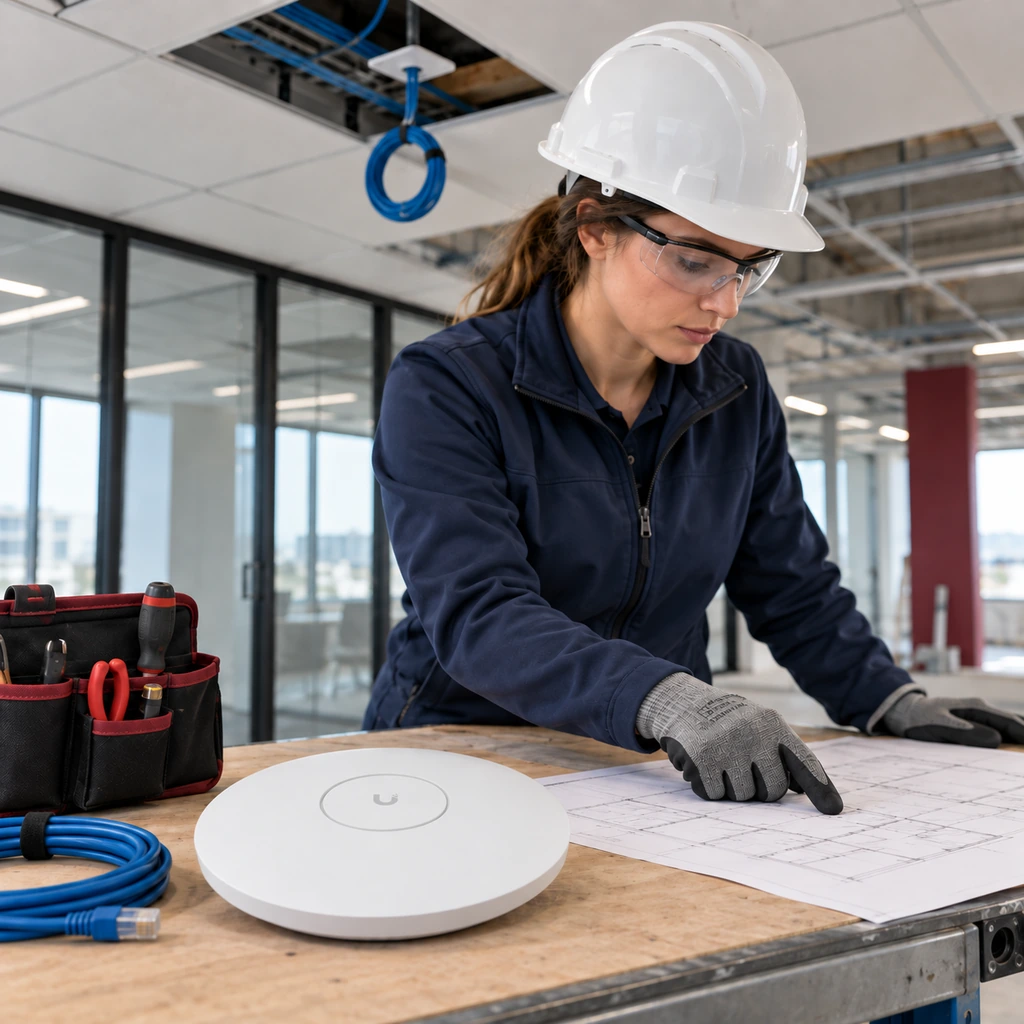
Planning Before Buildout or Move-In
Planning wireless early can reduce rework and help align Wi-Fi with phones, internet, cameras, access control, and future expansion.
1
Review the floor plan and operational areas
Map how the space is used before deciding where coverage matters most.
2
Coordinate cabling, racks, switches, and internet
Align the wired backbone that every access point depends on.
3
Plan AP locations before ceilings and walls are complete
Place access points while cabling paths are still accessible.
4
Test and adjust after installation
Validate real-world coverage and refine placement where needed.
Coverage Planning & AP Strategy
Access-point placement is a planning decision driven by the building and the devices — not a fixed count applied to every space.
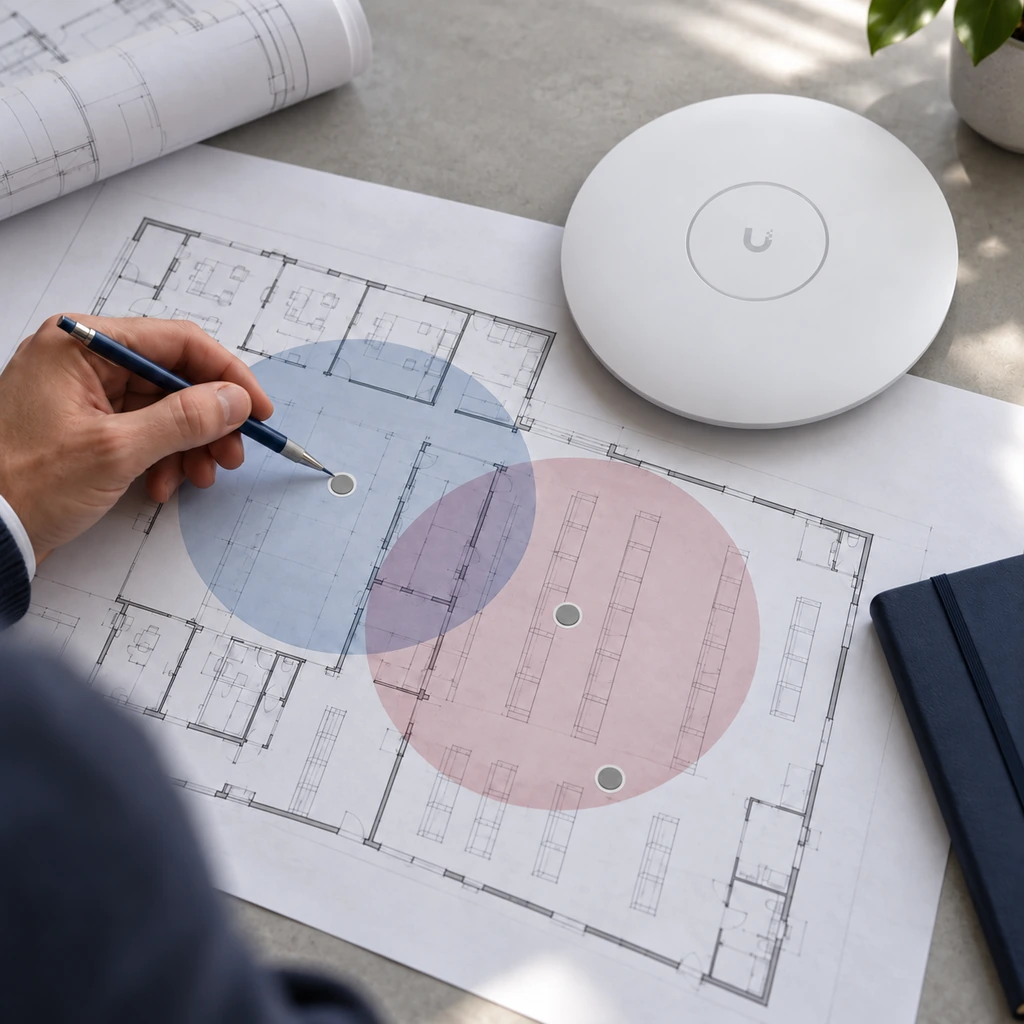
Access-point planning should balance coverage, capacity, roaming, physical placement, cabling, and the devices that need to connect. More access points are not automatically better if placement and configuration are poor.
Placement is influenced by
Square footage
Ceiling height
Wall and shelving materials
Device quantity and type
User movement
Interference
Desired operating areas
Cabling availability
Switch and PoE capacity
AP placement is a planning decision, not a decorative ceiling-layout decision.
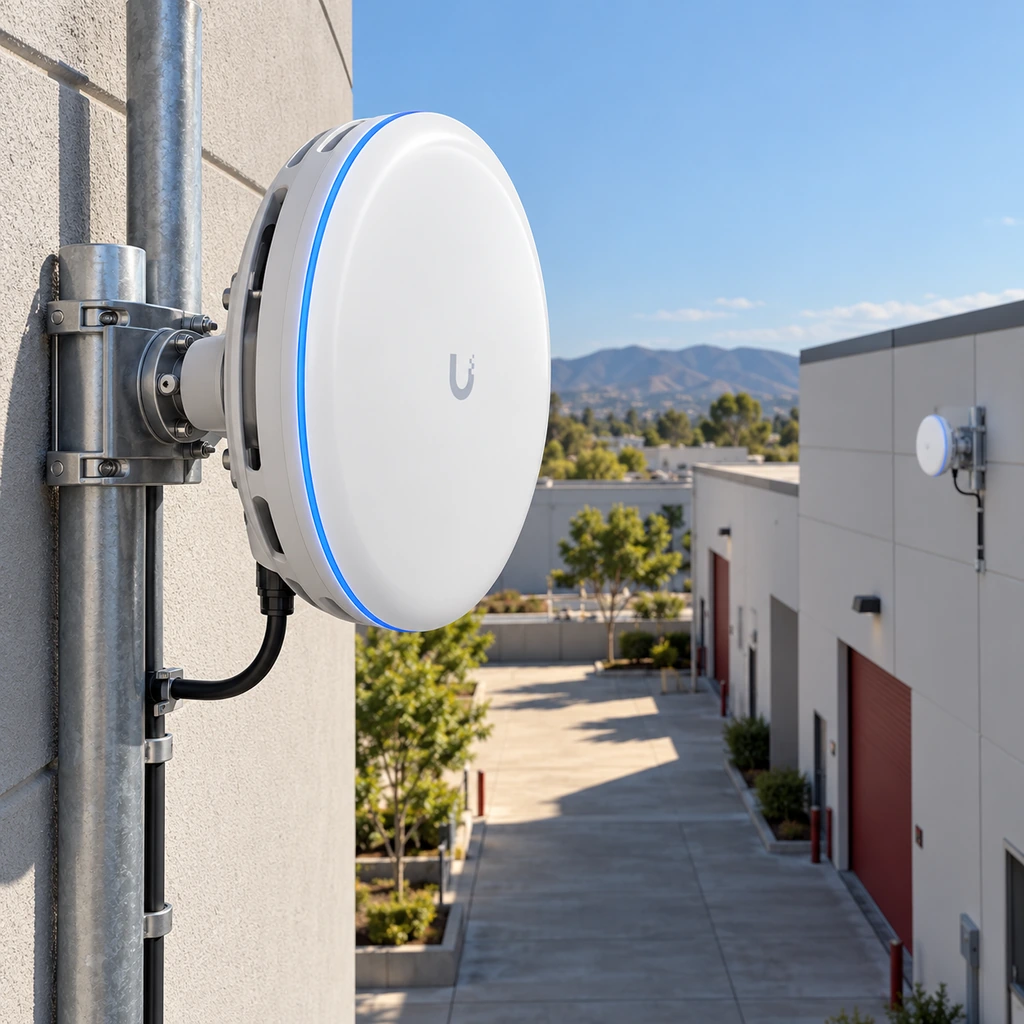
Outdoor & Between Buildings
Outdoor Wireless & Wireless Bridges
Extending coverage outdoors or across a property is possible in many cases — but it depends on physical conditions, not wishful range claims.
Common scenarios
- Loading docks
- Parking or storage areas
- Outdoor work zones
- Detached warehouses
- Separate commercial buildings
- Camera or operational connectivity across a property
What it may require
- Clear line of sight
- Appropriate mounting
- Outdoor-rated equipment
- Power and cabling planning
- Network separation
- Realistic expectations about distance and obstructions
Not every building or distance can be connected wirelessly. A site review confirms what is realistic for a specific property.
Troubleshooting Business Wi-Fi
Troubleshooting should identify whether the issue is the internet service, wireless network, wired infrastructure, equipment configuration, connected device, or a combination of factors.
| Symptom | Possible causes |
|---|---|
| Wi-Fi is slow everywhere | Internet, gateway, switching, interference, configuration, or device load. |
| Wi-Fi works near one AP but fails farther away | Coverage gaps, obstructions, placement, or insufficient density. |
| Scanners disconnect while moving | Roaming behavior, coverage overlap, device settings, or interference. |
| Phones or applications work inconsistently | Wireless instability, internet quality, VLAN configuration, switching, or device behavior. |
| Outdoor areas have weak connectivity | Indoor-only design, building materials, distance, obstructions, or lack of outdoor infrastructure. |
Not sure whether the problem is Wi-Fi, internet, or the network?
Multi-Location Wireless Standardization
For businesses with more than one site, shared standards make wireless environments easier to support, document, and expand.
Location A — Headquarters
Location B — Distribution
Location C — Branch office
Connected by shared wireless standards
Potential standardization areas
Supported gateways, switches, and access points
Network naming and segmentation
Guest Wi-Fi practices
Equipment documentation
Rack and cabling standards
Remote visibility for supported equipment
Consistent deployment practices
Standardization does not mean every customer receives identical equipment or configurations — each site is still planned around how it operates.
Why Businesses Choose One Stop Telecom
A consultative approach focused on planning, infrastructure, and realistic outcomes rather than selling the largest possible number of access points.
Planning tied to real operations
Wireless planning driven by how the business actually uses the space and its devices.
Infrastructure coordination
Coordination across internet, cabling, switching, and racks — not access points alone.
Experience across environments
Work in warehouses, offices, and multi-location environments with different demands.
Practical troubleshooting
Diagnosis that looks at the whole system rather than assuming every issue is “the Wi-Fi.”
Low-downtime implementation
Implementation planned to limit disruption to daily business operations.
Support within project scope
Support for wireless equipment and related infrastructure installed or managed by One Stop Telecom.
Scope of support
One Stop Telecom supports the wireless and network infrastructure included in the agreed project scope. This does not include full managed-IT helpdesk support for workstations, printers, servers, endpoint security, email administration, or unrelated third-party software.
Service Area
Based in Upland, One Stop Telecom serves businesses throughout Southern California and supports multi-location businesses across the U.S.
Upland (HQ)
Southern California
Multi-location support across the U.S.
Frequently Asked Questions
Straight answers to the questions businesses ask most about wireless coverage, infrastructure, and troubleshooting.
What does commercial wireless infrastructure include? icon
It typically includes access points, the managed PoE switching and structured cabling that connect them, a gateway, network segmentation, and the racks or MDF/IDF spaces that house equipment. Wireless is one part of a connected system rather than a standalone device.
What is the difference between business Wi-Fi and internet? icon
Internet is the outside connection a carrier delivers to the building. Wi-Fi is the internal wireless network that distributes that connection through the space. A business can have fast internet and still have weak Wi-Fi if the internal network is not planned well.
Why does warehouse Wi-Fi disconnect when employees move around? icon
Movement across a large space can expose coverage gaps, roaming issues, interference, or access points placed for convenience rather than coverage. High ceilings and metal racking also affect how signals travel, which is why placement and density matter.
How do you determine where business Wi-Fi access points should be installed? icon
Placement is planned around square footage, ceiling height, building materials, device count and type, user movement, interference, cabling availability, and switch capacity. A coverage assessment reviews these factors before recommending locations and density.
Can business Wi-Fi support barcode scanners and VoIP phones? icon
These devices are commonly supported on well-planned wireless networks. Their reliability depends on coverage, roaming behavior, network configuration, switching, and the devices themselves, so the network is planned with those workflows in mind.
Can you extend wireless coverage outdoors or between commercial buildings? icon
In many cases, yes, using outdoor-rated equipment or wireless bridges. It depends on line of sight, mounting, distance, obstructions, power, and cabling. A site review confirms what is realistic for a specific property rather than assuming any distance can be covered.
Can One Stop Telecom troubleshoot an existing business Wi-Fi network? icon
Yes. Troubleshooting works to identify whether the issue is the internet service, wireless network, wired infrastructure, equipment configuration, a connected device, or a combination, rather than assuming every problem is “the Wi-Fi.”
Does One Stop Telecom provide full IT or MSP support? icon
One Stop Telecom supports the wireless and network infrastructure installed or managed within the agreed project scope. It does not provide broad workstation, printer, server, email, endpoint-security, or unrelated software helpdesk services.
When should Wi-Fi be planned for a new office or warehouse? icon
Planning wireless early — ideally alongside cabling, switching, and internet during a buildout or move — can reduce rework. Placing access points before ceilings and walls are finished keeps cabling paths accessible and helps align Wi-Fi with future needs.
Plan Wireless Coverage Around How Your Business Actually Operates
Whether the project involves an office, warehouse, loading dock, outdoor area, detached building, or multiple locations, One Stop Telecom can help evaluate the space, devices, infrastructure, and operational requirements before recommending the wireless approach.